


FREECABLE© TV App: Shows, News
4.697.89K Reviews
App Specs
- Version
- 12.02
- Updated On
- License
- Free
- Downloads
- 10,000,000+
- Developer
- TV App: News, TV Shows, TV Series & Moviesテレビ
- Categories
- News & Magazines
- Platform
- Android
Screenshots



 Analysis by AppCompare
When a stream stalls or a channel takes longer than expected to open, it is tempting to blame the app straight away. I would first check the basics: whether the connection is steady, whether other online video works, and whether the same issue happens again after reopening the stream. That quick comparison helps separate a temporary hiccup from a mismatch between what I want to watch and what this broad TV app is designed to do.
Getting Started with FREECABLE© TV
First things first, downloading and setting up the FREECABLE© TV App is a breeze. Available on both Android and iOS, I found it in the app store and had it installed in no time. The interface is pretty intuitive, which is a big win in my book. None of that "where do I go next?" confusion here!
Before you press play
The app is a free News & Magazines option from TV App: News, TV Shows, TV Series & Moviesテレビ. It has a Teen content rating, and its current version is 12.02, with Android support starting at version 5.0. Those details make it easier to judge whether the app fits your device and household before you invest time browsing. Its 10M+ installs suggest it has reached a large audience, while its 4.6 average from around 254K ratings offers a broad indication of how users respond to it.
Because the app brings together live viewing and on-demand-style entertainment, I would approach setup with a simple expectation: it is a place to browse several kinds of video, not necessarily a replacement for every channel or subscription service I already use. On a first visit, I would check that the app opens properly, that the connection is stable, and that I can move between the news and entertainment areas without interruption. If video plays on one connection but struggles on another, testing the more reliable connection is a sensible first step.
It is also worth deciding what you want from the app before browsing widely. If I have a particular live event in mind, I look for that first rather than assuming a large channel selection means every specific program will be easy to find. If I am simply filling a short break, I can browse more freely and let the categories guide me. This small distinction makes the first session feel less like searching a huge catalogue and more like choosing a useful viewing route.
Exploring the Features
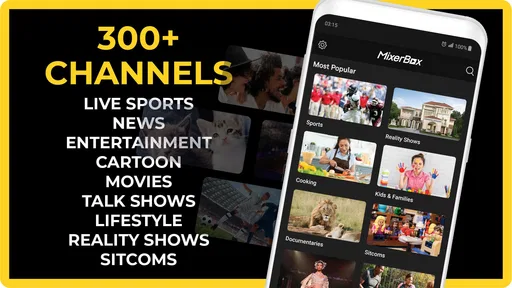
Once you’re in, you’ve got a smorgasbord of options at your disposal. The app offers a wide array of TV shows, news channels, and even some movies. What caught my attention was how it seamlessly integrates content from various sources. So, whether you’re a fan of drama series or the latest news updates, there’s something here for everyone.
One feature I particularly loved is the personalized content suggestions. It’s like the app is saying, "Hey, I know what you like!" and frankly, it’s usually spot-on. You can dive into categories like "Trending Now" or explore by genre, making it super easy to find something that matches your mood.
Worth Reading Before You Choose

Baby Panda World Brings Quick Play to Modern Phones, but Its Game Library Feels Busy

ESPN’s Live Game View Makes Following Close Games Easier

QuizzLand Review: A Good Fit for Short Trivia Breaks, Not Every Player

Basketball Stars: Multiplayer Is Fast, but Can It Recover When Matches Go Wrong?

WEBTOON Turns Phone Updates Into a Better Reading Routine

Link to Windows Runs on Shared Habits, Not Social Feeds
Choosing a viewing route
The broad mix is useful, but it changes how I would use the app compared with a single-purpose news reader or a dedicated streaming service. A news app is usually the faster choice when I need a headline, a written update, or a tightly focused feed. A paid streaming service may suit me better when I want a particular original series or a predictable season-by-season catalogue. FREECABLE© TV makes more sense when I want to move between live channels, news, shows, series, and movies without deciding on just one kind of viewing first.
That flexibility comes with a practical trade-off: breadth does not guarantee that the exact program I have in mind is available at the moment I look. I would treat search and category browsing as ways to discover options, rather than as a promise that every familiar channel or title will be present. For casual viewing, that is a reasonable compromise. For a must-watch broadcast, I would check a dedicated source as well instead of relying on one app alone.
A useful everyday routine is to make the app a second-stop option. If I have ten minutes before heading out, I can check the news area for a quick live update; if I have more time later, I can switch to entertainment browsing. Keeping those intentions separate helps avoid spending a short break scrolling through shows when what I really wanted was a news update. It also gives the recommendations a clearer role: a shortcut to something interesting, not the only way to find content.
The Viewing Experience
Now, let’s talk about the meat of the app – the viewing experience itself. The video quality is generally solid, and I didn’t encounter any major buffering issues. However, like with most free apps, there are ads. They’re not too intrusive, but be prepared for the occasional break in your viewing. It’s a small price to pay for free content, right?
Another cool aspect is the ability to cast your screen to a larger device. Whether you’re using a Chromecast or an Apple TV, you can easily project your favorite shows onto the big screen for a more cinematic experience. Trust me, your couch will thank you.
When playback gets awkward
If playback pauses or looks inconsistent, I would avoid changing several things at once. First I would check whether other video or websites are loading normally, then close and reopen the stream, and finally try another channel or item. If one selection fails while others play, that points more toward a content-specific problem than a general device problem. If everything struggles, the connection or device is the more useful place to investigate.
For a larger-screen session, I would test casting with a short clip before settling in for a full program. That makes it easier to spot whether the issue is the stream itself or the handoff to the television. If casting is unreliable, watching on the phone or tablet is a straightforward fallback; there is little benefit in troubleshooting the television connection during a brief viewing window. I would also keep the app in the foreground while testing, so I can tell whether playback resumes cleanly after a pause.
The free model is part of the appeal, but ad breaks make this a less natural choice for uninterrupted background viewing or a long film night when pauses would be frustrating. I would use it when I am happy to explore and accept interruptions, and switch to another option when uninterrupted playback matters more than variety. That is not a flaw unique to this app; it is a real part of deciding whether free, broad access suits the occasion.
Staying Updated with the Latest News
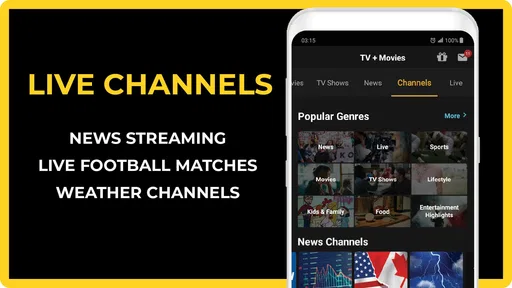
For all the news junkies out there, the app doesn’t disappoint. You’ve got access to a variety of news channels, covering everything from global headlines to local stories. The news section is well-organized, allowing you to quickly jump to the type of news that interests you most. It’s a great way to stay informed without having to flip through multiple channels.
Plus, the app’s notifications ensure you never miss out on breaking news. I personally appreciate the option to customize these alerts, so I’m not bombarded with updates I don’t care about. Choose your preferences, and you’re good to go.
When a news update does not arrive
For a quick check, I would open the news area directly rather than assume a notification is the only route to an update. If alerts are not useful, adjusting the preferences is better than letting every prompt compete for attention; if I want fewer interruptions, I can simply rely on checking the section when convenient. That creates a calmer routine and makes notifications more meaningful when I do keep them enabled.
For a deeper or time-sensitive news check, I would compare what I see here with a dedicated news source. A channel-based app is convenient for watching, but it is not always the quickest way to scan a developing story or verify a detail. I find the strongest use case is having a live news option within the same app I use for entertainment, not treating it as my only source of information.
Who will get the most from it
I would recommend the app to someone who likes browsing, wants a free way to sample different kinds of TV viewing, and does not mind occasional advertising. It is especially handy when household members have different tastes: one person can look for news while another explores shows or movies, without needing to start from the same category. Its mix encourages discovery, which is a strength when I do not arrive with a fixed title in mind.
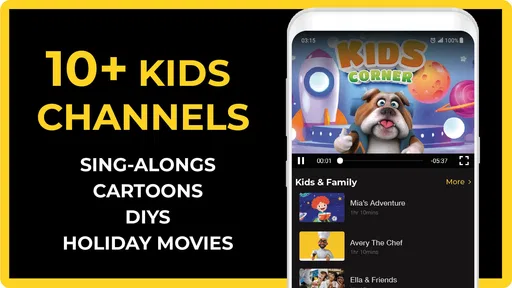
It is less suitable for someone who expects a specific paid-service catalogue, needs uninterrupted playback, or wants a compact, text-first news experience. Those viewers may be happier with a dedicated streaming subscription, a focused news app, or the broadcaster’s own service. I would also suggest checking the Teen content rating against the needs of younger viewers at home rather than treating a wide selection as automatically suitable for every age.
Final Thoughts
So, is the FREECABLE© TV App worth your time? I’d say absolutely, especially if you’re looking for a cost-effective way to enjoy a diverse range of content. It’s user-friendly, offers a decent selection, and most importantly, it’s free! Just remember to have a little patience with the ads.
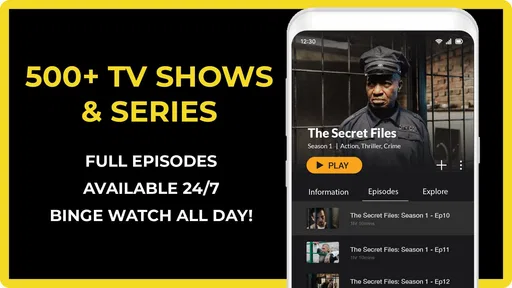
Whether you’re in the mood for binge-watching a new series or catching up on the latest news, this app has got you covered. Give it a shot and see if it becomes your go-to for entertainment. Happy watching!
My practical verdict is that I would keep it as a flexible option for casual viewing, rather than expect it to replace every service I use. The combination of live channels, news, and entertainment makes it easy to dip in for a quick watch or browse when I have no exact plan. If a stream does not behave, a calm connection check, a fresh attempt, and a comparison with another selection are more useful than assuming the whole app is broken.
Pros
- Wide variety of channels available.
- User-friendly interface design.
- High-quality streaming options.
- Regular content updates.
- Customizable watchlist feature.
Cons
- Contains frequent ads during viewing.
- Limited offline viewing options.
- Some content requires premium subscription.
- Occasional streaming lags reported.
- No parental controls available.
FAQs for FREECABLE© TV App: Shows, News
What is FREECABLE© TV App and how does it work?
FREECABLE© TV App is a streaming platform that offers access to a wide range of TV shows, news, and entertainment channels. It aggregates content from various sources, allowing users to watch live TV and catch up on missed episodes. The app is designed to be user-friendly, making it easy to browse and stream content directly on your Android or iOS device.
Is FREECABLE© TV App really free to use?
Yes, FREECABLE© TV App is free to download and use. However, there might be some advertisements within the app as a means of supporting the free content. Some features or premium content might require in-app purchases. It's advisable to check for any subscription details within the app to ensure it meets your needs.
What type of content is available on FREECABLE© TV App?
The app offers a diverse range of content, including TV shows, local and international news, entertainment, sports, and more. Users can explore various genres and categories to find content that suits their interests. The app regularly updates its library to include popular and trending shows, ensuring a wide selection for viewers.
Does FREECABLE© TV App support offline viewing?
As of now, FREECABLE© TV App primarily focuses on streaming live content and may not support offline viewing. Users need an active internet connection to watch shows and news. For those seeking offline options, it's best to explore the app's features or check for updates that might include this functionality in the future.
Is FREECABLE© TV App compatible with all devices?
FREECABLE© TV App is designed for both Android and iOS devices, supporting a wide range of smartphones and tablets. To ensure compatibility, users should check the app's requirements in the Google Play Store or Apple App Store. Keeping your device's operating system updated will also help enhance performance and compatibility.


